Multi-Location Events with Parker's Choice
Choices, choices, choices! We've brought Parker's Choice to Multi-Location Events to support complex, high-volume event parking across multiple lots.
Optimize your event parking options with flexible capacity limits for each location - prompting parkers to select their preferred location.
You can rest easy knowing your guests can navigate your parking lots with ease while improving operational efficiency and visibility!
Why This Matters
Before we brought Parker's Choice to Multi-Location Events, parking admins had to create multiple events or add redundant options in order to differentiate between lots. This created more admin work and made it harder for parkers to identify which parking lot to use.
Multi-Location Events with Parker's Choice streamlines this process by allowing admins to refine event parking options and enable guests to make informed choices that make knowing where to park and walking to the venue a breeze!
How it works
For Parking Administrators
When creating or editing existing events:
- Add multiple Locations to a Parking Option: Configure the Parking Options with valid locations for parkers to choose from.
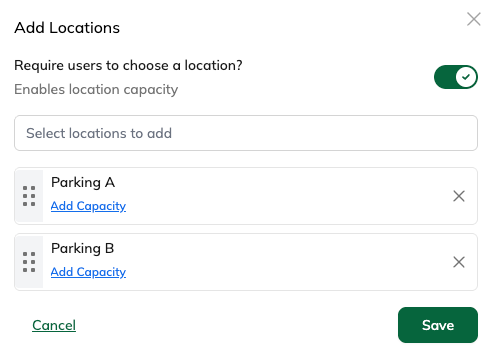
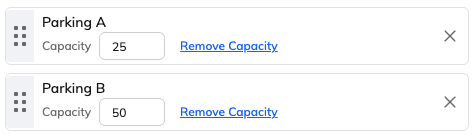
- Add Capacity: For each Location you select, limit the amount of vehicles that can be parked during the event times at each location.
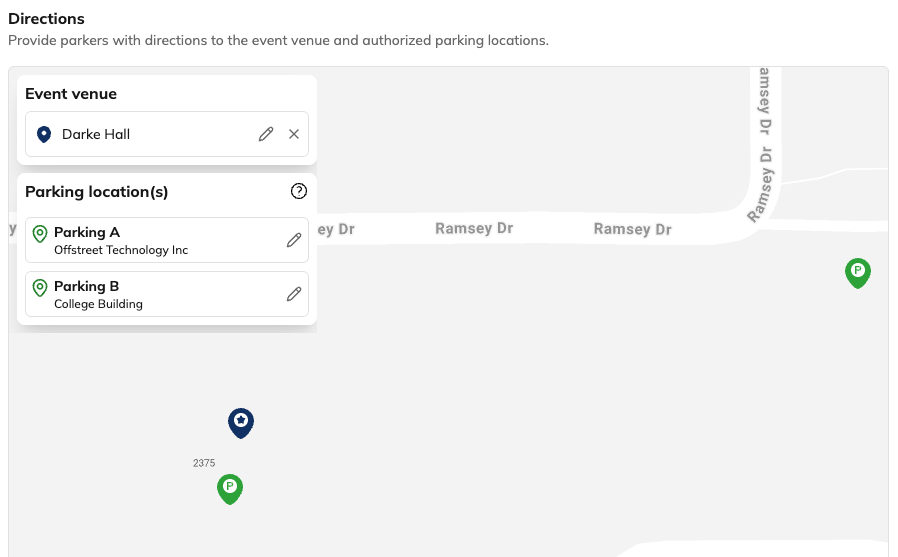
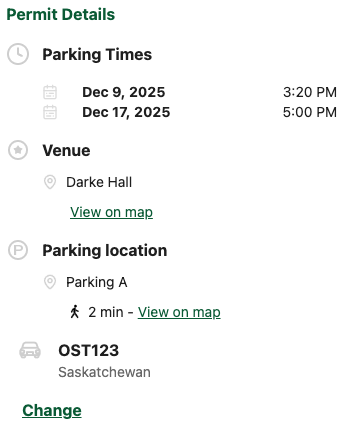
- Set Event venue and Parking Locations to direct parkers: If not already preset - set the parking locations to give your parkers clear directions on where to park and how to get to the event venue. Walking time estimates included!
For Parkers
- Portal displays all valid Locations for selected option: Parkers see a list of Locations where they can park after selecting their preferred option.
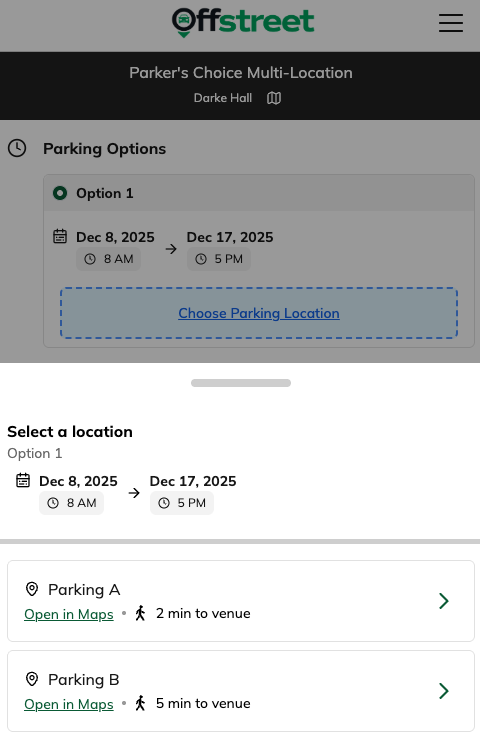
- Automatic Directions for each Location: Parkers can tap 'View on Map' to automatically get directions from their current location to the parking lot, or from their parking spot to the event venue.
FAQS
How will I know what location a parker selected?
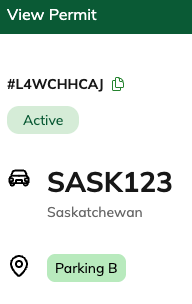
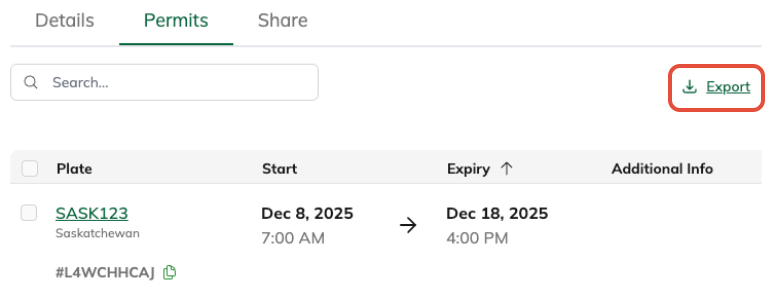
There are couple ways to see what location a parker selected:
- Open the Permit from the Permit list or Active Vehicle search
- Export the list of permits from the Event Dashboard:

Will Parkers always have to select a location?
No. If an event option only has one location set, or the User Select toggle is inactive, the location will be automatically set when the parker selects the option.
Will Enforcement teams need to change anything to accommodate multi-location event options?
No. Session data sent or pulled from Offstreet will show all Locations associated with that Event where a parker's plate is valid.
Can a Parker edit their parking option or location after they complete the permit registration?
Not at this time. Once a permit registration for an event is complete, Options and Location choices are locked. The permit will need to be made void and a new permit created.
Can I still have an option with multiple locations without a capacity limit?
Yes! You can leave the toggle enabled but don't select Add Capacity to allow parkers to still choose, or diable to toggle to make that option valid at all locations in the list.
Was this article helpful?
That’s Great!
Thank you for your feedback
Sorry! We couldn't be helpful
Thank you for your feedback
Feedback sent
We appreciate your effort and will try to fix the article