Register by scanning a QR code or navigating to URL manually
-
Scan the QR code using your device's camera and click the link that appears on screen or navigate to the Lookup Link URL manually
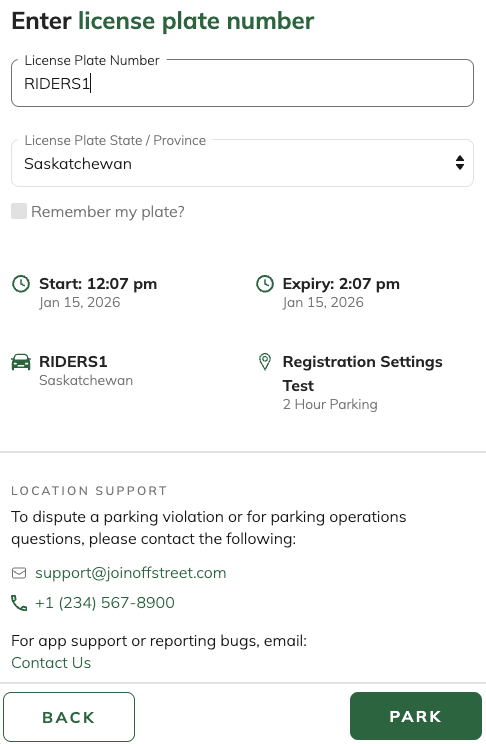
- Enter your Licence Plate, select your State/Province and click PARK or NEXT
- Follow the on-screen prompts to complete registration (eg. Selecting start/end date and times, entering required information like name, employee IDs, etc.)Note: If the NEXT or PARK button is greyed out or not tappable, this means that an action is required. Once the action is complete the NEXT or PARK button will become tappable.
- Tap PARK to complete registration (You'll be automatically taken to the confirmation page)
IMPORTANT: Once at the confirmation page, make sure to enter your email address and tap SEND to email yourself a confirmation receipt that includes registration details!
Was this article helpful?
That’s Great!
Thank you for your feedback
Sorry! We couldn't be helpful
Thank you for your feedback
Feedback sent
We appreciate your effort and will try to fix the article